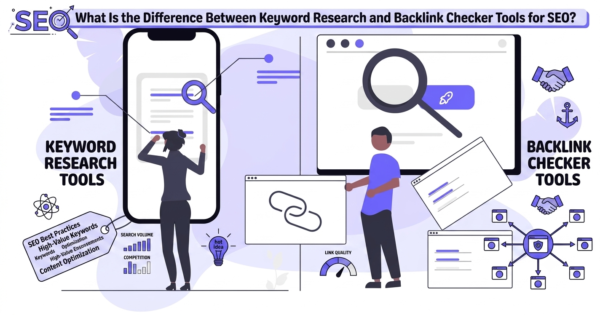
Search engine optimization (SEO) can feel like navigating a labyrinth. Two of the most frequently mentioned tools in any SEO professional’s arsenal are keyword research tools and backlink checker tools. But what exactly sets them apart?
If you’ve ever found yourself wondering whether you should invest more time in finding the right keywords or analyzing your backlink profile, you’re not alone. These two pillars of SEO serve entirely different purposes — yet both are essential for building a sustainable, high-ranking website.
In this comprehensive guide check backlinks, we’ll break down the differences between keyword research and backlink checker tools, explore when to use each, and show you how to combine them for maximum SEO impact. Whether you’re a complete beginner or a seasoned marketer looking to refine your strategy, this article will give you the clarity you need.
Understanding the Fundamentals: What Are Keyword Research Tools?
Before we dive into the differences, let’s establish a solid foundation. Keyword research tools are designed to help you discover what your target audience is searching for online backlinks checker.
What Does a Keyword Research Tool Do?
A keyword research tool analyzes search engine data to provide insights into:
-
The specific words and phrases people type into search engines
-
How many people search for those terms each month (search volume)
-
How difficult it would be to rank for those terms (keyword difficulty)
-
Related terms and variations you might not have considered
-
The intent behind searches (informational, commercial, transactional, or navigational)
As one expert explains, “Keyword research helps you understand what terms people are searching for, allowing you to optimize your content to match those queries“.
Key Features of Keyword Research Tools
Modern keyword research tools offer a wealth of features beyond basic suggestions:
Search Volume Data – Shows how many times a keyword is searched monthly, helping you prioritize high-potential terms.
Keyword Difficulty Scores – Indicates how hard it would be to rank for a particular keyword, allowing you to target achievable opportunities.
Search Intent Analysis – Helps you understand what users actually want when they search (e.g., are they looking to buy, learn, or find a specific website?).
Related Keyword Suggestions – Expands your content strategy by surfacing variations and long-tail opportunities you might have missed.
Competitor Keyword Analysis – Reveals which keywords your competitors are ranking for, helping you identify gaps in your own strategy.
Popular Keyword Research Tools
Some of the most widely used keyword research tools include:
-
Google Keyword Planner – A free tool built into Google Ads that provides direct search data from Google itself
-
Ahrefs Keywords Explorer – Known for comprehensive metrics and global keyword intelligence
-
Semrush Keyword Magic Tool – Offers massive keyword lists grouped by themes and modifiers
-
Moz Keyword Explorer – Excellent for SERP analysis and uncovering long-tail patterns
-
Ubersuggest – A user-friendly option with AI-powered keyword suggestions
When to Use Keyword Research Tools
You should reach for a keyword research tool when you need to:
-
Plan new content – Before writing any blog post, landing page, or product description
-
Identify content gaps – Find topics your competitors cover but you don’t
-
Understand your audience – Learn what questions and problems your potential customers are trying to solve
-
Optimize existing content – Update older pages with better-targeted keywords
-
Launch a new website or product – Build a content strategy from the ground up
Expert Tip: “Smart content creators use keyword search volume as a tool to make better decisions about what to write”. Don’t just chase high-volume keywords — look for terms with moderate search volume and low competition for faster wins.
Understanding the Fundamentals: What Are Backlink Checker Tools?
Now let’s turn our attention to the other side of the SEO coin. A backlink checker tool is designed to analyze the links pointing to your website from other domains how to check backlinks in google search.
What Does a Backlink Checker Tool Do?
A backlink checker tool crawls the web to identify and analyze all the external links that point to a specific website or webpage. These tools provide critical data about:
-
Who is linking to your site
-
How many backlinks you have
-
The quality and authority of those linking domains
-
Whether links are “dofollow” or “nofollow”
-
New backlinks you’ve gained and lost ones you need to investigate
As one industry guide puts it, a backlink checker tool “will automate the process of finding key competitor website backlinks, let you track websites to be notified of new backlinks, and more“.
Key Features of Backlink Checker Tools
A robust backlink checker offers several powerful features:
Domain Rating (DR) / Authority Score – Measures the overall authority of a website based on its backlink profile.
Referring Domains Count – Shows how many unique websites link to you (often more important than total backlink count).
Link Quality Assessment – Evaluates whether backlinks come from reputable, high-authority sources or spammy, low-quality sites.
Anchor Text Analysis – Reveals the text used in links pointing to your site, which helps search engines understand your content’s relevance.
New and Lost Link Tracking – Alerts you when you gain new backlinks or lose existing ones, allowing you to investigate changes.
Competitor Backlink Analysis – Shows where your competitors are getting their links so you can pursue similar opportunities.
Popular Backlink Checker Tools
Leading backlink checker tools include:
-
Ahrefs – Widely considered the industry standard with one of the largest backlink databases
-
Semrush – Offers a comprehensive backlink analytics suite with a solid free tier
-
Moz Link Explorer – Provides detailed link metrics and spam scores
-
Ubersuggest – A beginner-friendly option with free backlink checking capabilities
-
Majestic – Specializes in backlink data with unique metrics like Trust Flow and Citation Flow
When to Use Backlink Checker Tools
Reach for a backlink checker when you need to:
-
Audit your own backlink profile – Identify toxic or spammy links that could hurt your rankings
-
Monitor link-building progress – Track whether your outreach efforts are paying off
-
Analyze competitors – Discover where your rivals are getting their links
-
Find link-building opportunities – Identify sites that link to competitors but not to you
-
Recover lost backlinks – Spot when important links disappear and reach out to the site owner
Expert Tip: “There’s no such thing as a ‘dofollow’ backlink—this is simply a term SEO tools created”. Focus on earning high-quality, relevant backlinks rather than obsessing over technical attributes.
Keyword Research vs Backlink Checker: What Are the Key Differences?

Now that we understand each tool type individually, let’s directly compare keyword research and backlink checker tools across several dimensions.
Primary Purpose
| Aspect | Keyword Research Tools | Backlink Checker Tools |
|---|---|---|
| Main Goal | Discover what people are searching for | Discover who is linking to you and competitors |
| Focus Area | Content creation and audience understanding | Authority building and off-page SEO |
| Data Source | Search engine query data | Web crawl data (link graphs) |
What They Measure
| Metric | Keyword Research Tools | Backlink Checker Tools |
|---|---|---|
| Primary Metric | Search volume, keyword difficulty | Number of backlinks, domain authority |
| Secondary Metrics | CPC, search intent, trend data | Referring domains, anchor text, link type |
| Time Dimension | Historical and projected search behavior | Current and historical link data |
How They Impact SEO
Keyword research tools help you create the right content – they tell you what topics to write about and which terms to target.
Backlink checker tools help you build authority – they tell you who’s linking to you and your competitors, which directly impacts your site’s credibility in search engines.
As one SEO professional put it: “Both keyword research and backlinks are important for SEO, but they serve different purposes. Keyword research helps you understand what terms people are searching for… On the other hand, backlinks are links from other websites that point to yours, which can improve your site’s authority and visibility“.
Which Is Better for SEO: Keyword Research or Backlink Checker Tools?
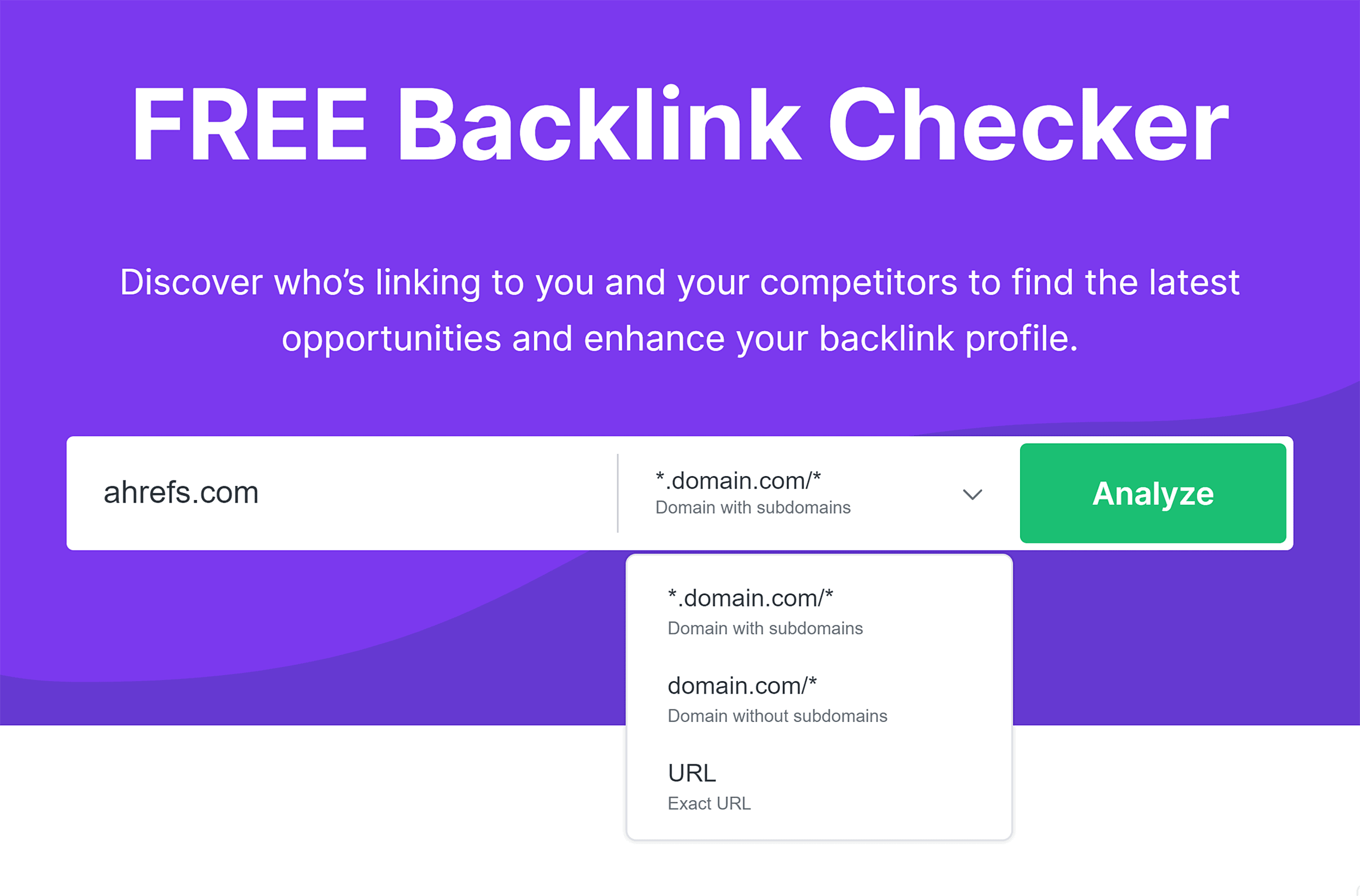
This is the million-dollar question — and the honest answer is that neither is “better” . They serve complementary purposes.
Keyword research is essential for content strategy. Without it, you’re guessing what your audience wants. You might create brilliant content that nobody searches for.
Backlink analysis is essential for authority building. Without it, you might create content that people search for but never rank for because your site lacks credibility.
If forced to choose one as more fundamental, many experts lean toward keyword research. As one analysis notes: “If I had to pick one, I’d say keyword research is slightly more crucial because it forms the foundation of your content strategy, helping you create valuable content that resonates with your audience“.
However, the most successful SEO strategies use both. “Ultimately, a well-rounded SEO strategy should incorporate both“.
How Does a Keyword Research Tool Differ From a Backlink Checker?
Let’s get more specific about the practical differences in how these tools work.
Data Collection Methods
Keyword research tools typically pull data from:
-
Google’s own search data (via APIs or partnerships)
-
Proprietary databases built from search engine result pages
-
Clickstream data from browser extensions and partners
Backlink checker tools work differently:
-
They deploy web crawlers that continuously scan the internet
-
They build and maintain massive link databases
-
They analyze link relationships between millions of domains
For example, Semrush’s backlink database contains over 43 trillion backlinks. That’s the kind of scale required to provide accurate link intelligence.
User Workflow
When using a keyword research tool, your workflow typically looks like:
-
Enter a seed keyword or topic
-
Review search volume, difficulty, and related terms
-
Prioritize keywords based on your goals
-
Create content around selected keywords
-
Track rankings over time
When using a backlink checker, your workflow typically looks like:
-
Enter your domain or a competitor’s domain
-
Review the backlink profile
-
Identify high-quality linking opportunities
-
Reach out to potential link sources
-
Monitor new and lost links over time
Output and Deliverables
Keyword research tools produce:
-
Lists of target keywords with metrics
-
Content topic suggestions
-
Competitor keyword gaps
-
Search intent insights
Backlink checker tools produce:
-
Lists of linking domains with authority metrics
-
Anchor text distributions
-
Link type breakdowns (dofollow/nofollow)
-
Historical link data (new and lost)
Cost Considerations
Many keyword research tools offer free tiers or limited free access. Google Keyword Planner is completely free, making it accessible to beginners.
Backlink checker tools tend to be more expensive because maintaining a massive, constantly updated link database requires significant infrastructure. However, tools like Ahrefs Webmaster Tools offer free access to your own site’s data.
How to Use Keyword Research and Backlink Checker Tools Together
This is where the magic happens. The real power of SEO comes from combining insights from both types of tools.
Strategy 1: Find Linkable Content Topics
Use keyword research to identify topics your audience cares about. Then use a backlink checker to see what kind of content in your niche attracts the most links.
Example Workflow:
-
Use a keyword research tool to find high-search-volume topics in your industry
-
Use a backlink checker to analyze the top-ranking pages for those keywords
-
See which pages have the most backlinks
-
Create even better content on that topic
-
Reach out to sites that linked to similar content
Strategy 2: Identify Competitor Weaknesses
Use a backlink checker to analyze your competitors’ backlink profiles. Then use keyword research to find the keywords they’re ranking for — and identify gaps.
Example Workflow:
-
Use a backlink checker to find competitor backlinks
-
Use keyword research to see which keywords drive traffic to those linked pages
-
Identify keywords where competitors rank but you don’t
-
Create better content targeting those keywords
-
Build backlinks to your new content
Strategy 3: Validate Content Ideas
Before creating content, use keyword research to confirm there’s search demand. After publishing, use a backlink checker to monitor how many links your content earns.
As one guide explains: “Targeting the right keywords helps create content that attracts quality backlinks and boosts SEO“.
Strategy 4: Build a Complete SEO Ecosystem
A smart SEO strategy combines multiple tools and approaches. As one comparison notes, a high-performing setup includes: “Keyword research system, technical audit system, backlink monitoring system, content optimization workflow“.
This combination “creates a complete SEO ecosystem rather than relying on one tool“.
Benefits and Drawbacks of Each Tool Type
Keyword Research Tools: Pros and Cons
Pros:
-
✅ Essential for understanding your audience
-
✅ Relatively affordable (many free options exist)
-
✅ Directly informs content creation
-
✅ Helps you find untapped opportunities
-
✅ Relatively easy to learn and use
Cons:
-
❌ Doesn’t help with authority building
-
❌ Search volume data can vary between tools
-
❌ Can lead to “analysis paralysis” with too many options
-
❌ Doesn’t guarantee rankings (you still need quality content and backlinks)
Backlink Checker Tools: Pros and Cons
Pros:
-
✅ Essential for authority building
-
✅ Helps you monitor your online reputation
-
✅ Reveals competitor strategies
-
✅ Identifies toxic links that could hurt you
-
✅ Provides concrete link-building targets
Cons:
-
❌ Tends to be more expensive
-
❌ Doesn’t help with content creation
-
❌ Can be complex and overwhelming for beginners
-
❌ Data freshness varies between providers
Comparison Table: Which Tool When?
| Scenario | Best Tool | Why |
|---|---|---|
| Planning a new blog post | Keyword Research | Find what your audience is searching for |
| Auditing your site’s authority | Backlink Checker | See who’s linking to you |
| Analyzing a competitor’s strategy | Both | Keywords tell you what they rank for; backlinks tell you how they got there |
| Recovering from a Google penalty | Backlink Checker | Identify toxic links that may have triggered the penalty |
| Building a content calendar | Keyword Research | Discover topics with search demand |
| Starting a link-building campaign | Backlink Checker | Find sites worth reaching out to |
| Measuring content performance | Both | Keywords show rankings; backlinks show authority growth |
Common Mistakes to Avoid
Mistake 1: Using Only One Tool Type
Relying exclusively on keyword research without backlink analysis means you might create content that never ranks because your site lacks authority. Relying only on a backlink checker without keyword research means you might build links to content nobody is searching for.
Mistake 2: Chasing High-Volume Keywords Exclusively
High search volume doesn’t always mean high value. As one expert notes, “Most keyword research fees focus on finding keywords that actually drive results”. Sometimes low-volume, high-intent keywords are more valuable.
Mistake 3: Obsessing Over Total Backlink Count
More backlinks aren’t always better. Quality matters far more than quantity. A single link from a highly authoritative site can be worth more than hundreds of low-quality links.
Mistake 4: Ignoring Lost Backlinks
Many people use a backlink checker to find new links but forget to monitor lost ones. If important links disappear, it could signal a problem worth investigating.
Mistake 5: Not Updating Research
SEO isn’t a “set it and forget it” activity. Search trends change, competitors adapt, and backlinks come and go. Regular research using both tool types is essential for maintaining rankings.
Real-World Scenarios: Putting It All Together
Scenario 1: Launching a New Blog
Step 1 – Keyword Research: Use a keyword research tool to identify 20-30 topics with decent search volume and manageable competition.
Step 2 – Content Creation: Write high-quality articles targeting those keywords.
Step 3 – Backlink Checker: After publishing, use a backlink checker to monitor which articles attract links naturally.
Step 4 – Outreach: For your best-performing content, use the backlink checker to find sites that link to similar content and reach out for links.
Scenario 2: Reviving a Stale Website
Step 1 – Backlink Checker: Audit your existing backlink profile. Identify toxic links that might be hurting your rankings.
Step 2 – Keyword Research: Find keywords where you’re ranking on page 2 or 3. These are your “low-hanging fruit” opportunities.
Step 3 – Content Update: Refresh underperforming pages with better keyword targeting.
Step 4 – Monitor: Use both tools to track improvements in rankings and new backlinks.
Scenario 3: Outranking a Competitor
Step 1 – Backlink Checker: Analyze your competitor’s backlink profile. Identify their top referring domains.
Step 2 – Keyword Research: Find the keywords driving traffic to your competitor’s site.
Step 3 – Gap Analysis: Identify keywords your competitor ranks for that you don’t.
Step 4 – Strategy: Create better content on those topics, then use the backlink checker to find sites linking to your competitor and reach out.
Choosing the Right Tools for Your Needs
For Beginners
Start with free tools:
-
Google Keyword Planner for keyword research
-
Ahrefs Webmaster Tools for backlink checking (free for your own site)
-
Ubersuggest for both (generous free tier)
For Intermediate Users
Consider paid tools with good balance:
-
Semrush – Strong in both keyword research and backlink analysis
-
Moz Pro – Comprehensive suite with good educational resources
For Advanced Users
Invest in specialized tools:
-
Ahrefs – Industry leader for backlink analysis, with robust keyword research capabilities
-
Majestic – Specialized backlink data with unique metrics
Budget Considerations
| Tool | Keyword Research | Backlink Checker | Price Range |
|---|---|---|---|
| Google Keyword Planner | ✅ Excellent | ❌ | Free |
| Ahrefs Webmaster Tools | ✅ Basic | ✅ Good | Free (limited) |
| Ubersuggest | ✅ Good | ✅ Good | Free / ~$29/month |
| Semrush | ✅ Excellent | ✅ Excellent | ~$119/month |
| Ahrefs | ✅ Excellent | ✅ Best-in-class | ~$99/month |
| Moz Pro | ✅ Good | ✅ Good | ~$99/month |
The Future of SEO Tools
As search engines evolve, so do SEO tools. Several trends are worth watching:
AI Integration
AI is transforming both keyword research and backlink analysis. Modern tools can now suggest content topics, predict ranking potential, and identify link-building opportunities automatically.
Search Intent Understanding
Modern keyword research goes beyond volume to understand why people search. This helps content creators match user intent more precisely.
Real-Time Data
Backlink checker tools are updating their databases more frequently, giving users fresher, more actionable insights.
Integration
The trend is toward all-in-one platforms that combine keyword research, backlink analysis, technical SEO, and rank tracking in a single ecosystem.
Conclusion
So, what’s the difference between keyword research and backlink checker tools for SEO?
Keyword research tools help you understand what your audience is searching for. They inform your content strategy, helping you create pages that people actually want to read. Without them, you’re publishing in the dark.
Backlink checker tools help you understand who’s linking to you and your competitors. They inform your authority-building strategy, helping you earn the credibility that search engines reward. Without them, you’re building authority blindly.
Neither is “better” than the other — they serve different but equally essential purposes. Keyword research tells you what to write. Backlink checker tools tell you how to get that content seen.
Actionable Takeaways
-
Start with keyword research – Before creating any content, know what your audience is searching for
-
Monitor your backlinks regularly – Use a backlink checker to track new links and catch lost ones
-
Analyze competitors with both – Keywords tell you what they rank for; backlinks tell you how they got there
-
Don’t choose one over the other – The most successful SEO strategies use both tool types in combination
-
Start free, scale up – Begin with free tools like Google Keyword Planner and Ahrefs Webmaster Tools, then invest in paid tools as your needs grow
-
Think of SEO as an ecosystem – Keyword research, backlink analysis, technical SEO, and content quality all work together
Final Thoughts
The debate between keyword research and backlink checker tools is a false dichotomy. You need both. Think of keyword research as your compass — it tells you which direction to go. Think of a backlink checker as your engine — it gives you the power to get there.
Invest time in learning both types of tools. Understand their strengths and limitations. Use them together to build a comprehensive SEO strategy that drives sustainable, long-term growth.
Remember: SEO isn’t about shortcuts or quick wins. It’s about understanding your audience, creating valuable content, and building the authority that makes that content visible. Keyword research and backlink checker tools are your partners in that journey — use them wisely, and they’ll serve you well for years to come.