Introduction: Why Crawling and Site Audits Matter More Than Ever
Here’s a truth most website owners don’t want to hear: you can publish the best content on the internet, and it won’t matter one bit if search engines can’t find it.
Crawling and site audits are the foundation upon which every successful SEO strategy is built. Without proper crawlability and regular technical audits, your content remains invisible — buried in a digital graveyard where no one will ever see it.
In 2026, the stakes are higher than ever. Google’s algorithms have become more sophisticated, AI search engines like ChatGPT, Perplexity, and Google AI Mode are now pulling content directly from websites, and the competition for organic visibility has never been fiercer. If your site has crawl errors, indexing issues, or technical roadblocks, you’re not just losing Google rankings — you’re being excluded from the AI search revolution entirely.
The good news? Most crawling and indexing problems are fixable. And with the right approach to site audits, you can identify, prioritize, and resolve the issues that are silently killing your traffic.
This guide will walk you through everything you need to know about crawling and site audits in 2026. From understanding the fundamentals to running a complete technical SEO audit, we’ll cover the tools, techniques, and strategies that actually move the needle.
Let’s dive in.
What Are Crawling and Site Audits? (The Fundamentals)
Before we get into the nitty-gritty of running audits, let’s establish a clear understanding of what we’re actually talking about.
Crawling Explained
Crawling is the process by which search engine bots (like Googlebot) discover and navigate your website. These bots follow links from page to page, reading your content and gathering information about your site’s structure.
Think of crawling like a librarian walking through a massive library, scanning every book on every shelf, taking notes on what each book contains and where it’s located.
Search engines use automated programs called crawlers or spiders to traverse the web. They start with a list of known URLs (from previous crawls, sitemaps, and external links) and then follow the hyperlinks on those pages to discover new content.
If your site has crawl problems, search engines can’t find your pages. Period.
Indexing Explained
Indexing is what happens after crawling. Once a search engine bot has crawled your page, it analyzes the content and decides whether to add it to its index — essentially, a massive database of all the web pages it knows about.
Indexing is where search engines store and organize the information they’ve gathered. When someone performs a search, the engine pulls relevant results from this index.
A page can be crawled but not indexed. This happens when Google decides your content isn’t valuable enough, or when technical issues prevent proper indexing.
The goal isn’t just to get crawled. It’s to get indexed and ranked.
What a Site Audit Actually Does
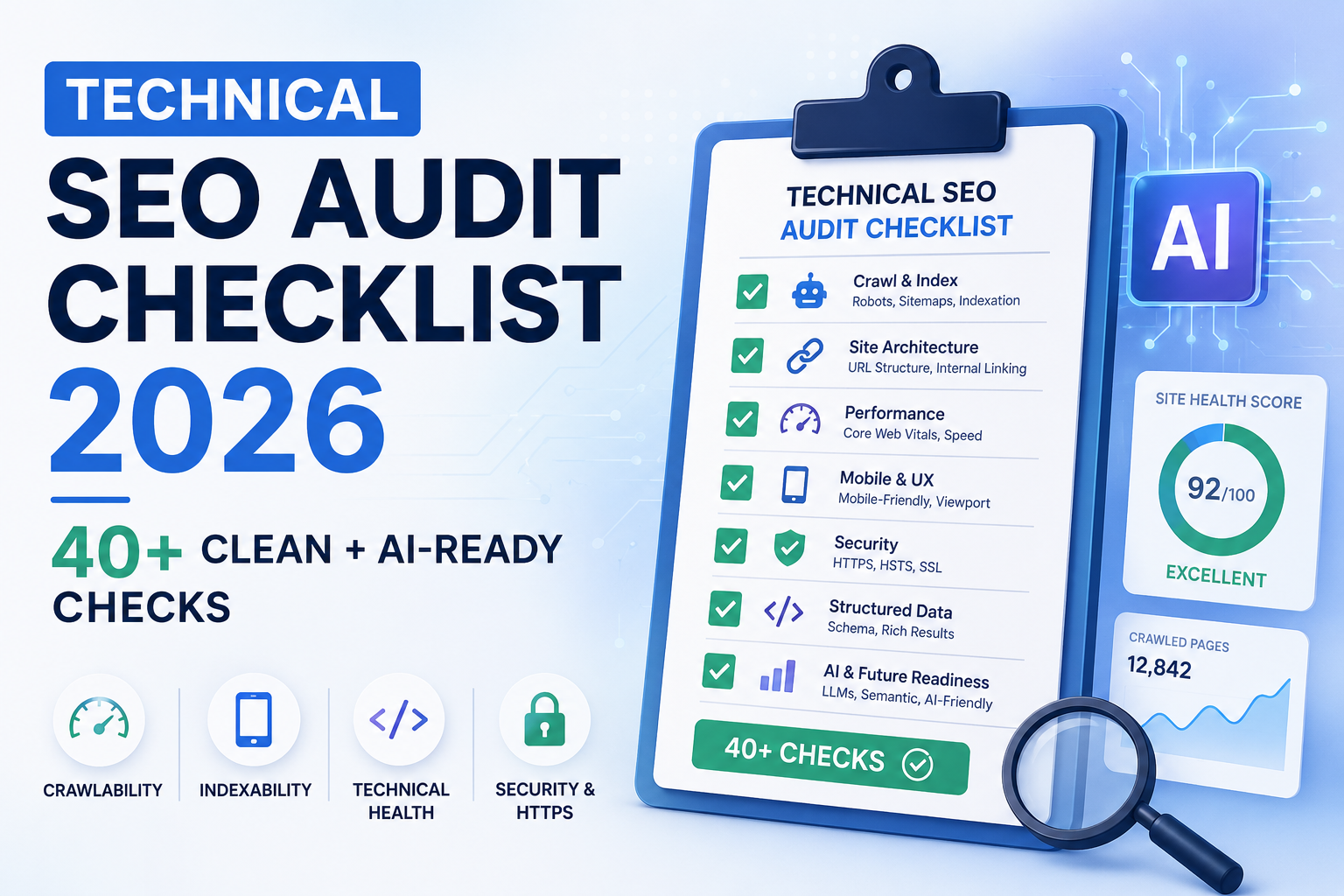
A site audit is a systematic review of your website’s technical health. It identifies anything that prevents search engines from crawling, rendering, or indexing your pages correctly.
A technical SEO audit answers one decisive question: can Google reach, understand, and rank your content?
Where content audits look at what you say and link audits look at who vouches for you, a technical audit checks whether the machine underneath actually works.
The output of a site audit isn’t just a list of problems. It’s a prioritized action plan that tells you exactly what to fix and in what order.
Why Most Websites Fail at Crawling and Indexing
Here’s the uncomfortable reality: most websites have crawling and indexing problems, and most website owners don’t even know it.
In a study of 100,000 sites and 450 million pages, duplicate content was the single most common issue, affecting half the sites analyzed. Thirty-five percent had broken internal links.
On large e-commerce catalogs, duplicate, low-quality, or blocked URLs can waste up to 30% of the crawl budget Google allocates to a site. That’s nearly a third of your crawl allowance being spent on pages that don’t matter.
The most common reasons websites fail at crawling and indexing include:
-
Blocked resources: Robots.txt files that accidentally block important pages or CSS/JS files that search engines need to render your content.
-
Broken internal links: Links that lead to 404 pages, wasting crawl budget and creating a poor user experience.
-
Duplicate content: The same content accessible via multiple URLs, confusing search engines and diluting authority.
-
Redirect chains: Multiple redirects between the original URL and the final destination, wasting crawl budget.
-
Thin or low-quality content: Pages that Google discovers but chooses not to index because they don’t provide sufficient value.
-
Poor site architecture: Important pages buried too deep in the site structure, making them difficult for crawlers to reach.
The worst part? Many of these issues are invisible to casual observation. Your site might look fine to visitors, but search engines are struggling to make sense of it.
That’s why crawling and site audits are non-negotiable.
The 2026 SEO Audit Framework: Step-by-Step
Running a proper site audit isn’t complicated, but it does require a systematic approach. Here’s a complete framework for auditing your site in 2026.
Phase 1: Pre-Audit Preparation
Before you touch any audit tool, record your current performance. This gives you something to measure against.
Pull data from:
-
Google Analytics 4: Organic sessions for the last 90 days, top landing pages by organic traffic
-
Google Search Console: Total indexed page count, average position for top keywords, Core Web Vitals assessment
This baseline is your starting line. Every audit finding and every fix you implement should be measured against it.
Phase 2: Crawl Your Site Like a Search Engine
Run a full crawl using a dedicated crawling tool. For sites above 500 pages, ensure your crawl settings allow deep crawling rather than stopping at a page limit.
What to look for in the initial crawl:
-
Total page count vs. expected (a large discrepancy indicates pages you don’t know about)
-
HTTP status code distribution (4xx and 5xx errors, redirect chains)
-
Pages with duplicate or missing title tags
-
Pages without H1 tags or with multiple H1 tags
This is the raw material for everything that follows.
Phase 3: Diagnose Crawlability Issues
Start with the two files that guide crawlers: your robots.txt and your XML sitemap.
Robots.txt checklist:
-
Verify the file exists at yourdomain.com/robots.txt[reference:23]
-
Confirm it’s not blocking any important page types
-
Ensure rendering resources (CSS, JS files) aren’t disallowed
XML sitemap checklist:
-
Confirm the sitemap is submitted in Search Console
-
Verify it returns a 200 status
-
Ensure it includes only pages you want indexed (remove noindexed pages, 404s, and redirecting pages)
Canonical tags:
Every page should have a self-referencing canonical at minimum. Check for pages with no canonical tag, pages canonicalizing to the wrong URL, and canonical chains.
Phase 4: Audit Indexation Status
Open Google Search Console’s Indexing report. Review:
-
Pages “indexed” — is this number reasonable for your site?
-
Pages “not indexed” — review each exclusion reason
Common exclusion reasons include:
-
Crawled but not indexed: Google found the page but chose not to index it — usually a quality signal
-
Discovered but not currently indexed: In the queue but deprioritized — crawl budget or quality issue
-
Excluded by noindex: Confirm these pages should be excluded
Phase 5: Analyze Site Speed and Core Web Vitals
Speed is both a ranking factor and the fastest way to lose a visitor.
Run your key templates — homepage, a post, a landing page — through PageSpeed Insights. Core Web Vitals measure loading, interactivity, and visual stability.
Treat the field data (real user data) as the truth, since it reflects actual users rather than a lab test.
Phase 6: Review On-Page Technical Elements
For your important pages, check that each has:
-
One clear H1
-
A title tag that reads well and includes the target term
-
A meta description that earns the click rather than repeating the title
Walk the heading structure top to bottom and make sure it forms a logical outline. Both search engines and AI systems lean on headings to understand a page.
Phase 7: The AI Crawler Layer (New for 2026)
In 2026, there’s a second audience reading your pages — and it doesn’t click blue links.
ChatGPT, Perplexity, Google AI Mode, and Copilot now answer questions by pulling from pages they can fetch and trust. Most SEO audits never check whether a site is ready for that at all.
Your audit should now include:
-
Checking whether AI crawlers (GPTBot, ClaudeBot, PerplexityBot) can reach your content
-
Verifying your pages carry the structure AI systems prefer
-
Confirming whether AI crawlers are actually fetching your content
This is the layer most SEOs are missing in 2026.
Crawl Budget Optimization: Making Every Crawl Count
Crawl budget is the number of pages search engines will crawl on your site within a given time. It’s not unlimited.
Google determines your crawl budget based on two factors:
-
Crawl capacity limit: The maximum crawl capacity Google is willing to use on your site without overloading your server
-
Crawl demand: How much Google actually wants to crawl your site, based on how popular and fresh your content is
Every site starts with the same conservative crawl capacity limit. If there’s demand to crawl more and the site remains healthy, Google’s systems automatically adjust this limit over time.
What Wastes Crawl Budget?
Understanding what wastes crawl budget is the first step to optimization.
| Waste Type | Example | Impact |
|---|---|---|
| Duplicate content | Same content at multiple URLs (with/without trailing slash, http/https, UTM tags) | Crawlers process the same text repeatedly |
| Faceted navigation | Filter URLs creating infinite combinations | Crawlers get lost in endless parameter variations |
| Thin or low-quality pages | Pages with little unique content | Google crawls them but doesn’t index them |
| Soft 404 errors | Deleted pages that return a 200 status | Googlebot continues to crawl them |
| Redirect chains | Multiple redirects between URLs | Wastes crawl capacity on each redirect |
| Noindex pages | Pages marked noindex but still in sitemap | Sends contradictory signals |
How to Optimize Crawl Budget in 2026
1. Clean up your robots.txt
Block useless sections like parameters, facets, and admin pages. This prevents crawlers from wasting time on pages that don’t matter.
2. Segment your XML sitemaps
Instead of one massive sitemap, split by content type, business value, and update frequency. One e-commerce site saw product index rates jump from 87% to 98% after segmenting into five sitemaps.
3. Consolidate duplicate content
Merge thin pages that cover similar topics or use canonical tags to point to the preferred version.
4. Fix server performance
Slow pages reduce your crawl rate limit. Faster servers mean more pages crawled per day.
5. Use accurate last-modified dates
Google actually uses <lastmod> metadata — it’s the only metadata that triggers recrawls.
6. Eliminate soft 404 errors
Deleted pages should return a 404 status, not a 200. Otherwise, Googlebot will keep crawling them.
7. Keep internal linking clean
Every important page should be within three clicks of the homepage. Pages buried deep often don’t get crawled at all.
Best SEO Audit Tools for 2026 (Comparison Table)
| Tool | Best For | Pricing | Key Feature |
|---|---|---|---|
| Screaming Frog SEO Spider | Deep technical audits | Free (500 URLs) / £199/yr | Unmatched depth on technical data |
| Semrush Site Audit | All-in-one platform | $139.95/mo | 140+ checks, health score, white-label reports |
| Ahrefs Site Audit | Technical + backlink combo | $129/mo | 170+ checks, clean issue grouping |
| Sitebulb | Client-ready reports | From $13.50/mo | Visual reporting, easy-to-understand insights |
| Google Search Console | Free starting point | Free | Crawl stats, indexing reports, Core Web Vitals |
| Lumar (formerly Deepcrawl) | Enterprise crawl monitoring | Custom pricing | Scores 95% in SEO auditing |
| JetOctopus | Large-site log file analysis | Custom pricing | Log file analysis for crawl budget insights |
Which tool should you choose?
-
Small sites under 500 pages: Start with free Screaming Frog + Google Search Console
-
Most marketing teams: Semrush or Ahrefs for the all-in-one convenience
-
Agencies with clients: Sitebulb for visual, client-ready reports
-
Enterprise sites: Lumar or JetOctopus for scale
Common Crawling and Indexing Issues (And How to Fix Them)
Issue 1: “Crawled – Currently Not Indexed”
What it means: Google found your page but chose not to index it.
Why it happens: Thin content, low quality, duplicate content, or conflicting signals.
How to fix: Improve content quality, add unique value, check for duplicate content, and ensure canonical tags are correct.
Issue 2: “Discovered – Currently Not Indexed”
What it means: Google knows about your page but hasn’t crawled it yet.
Why it happens: Crawl budget issues or the page is deprioritized.
How to fix: Optimize crawl budget, improve internal linking to the page, and submit it via Search Console’s URL Inspection tool.
Issue 3: Pages Blocked by Robots.txt
What it means: Your robots.txt file is preventing crawlers from accessing certain pages.
Why it happens: Accidental disallow rules or overly aggressive blocking.
How to fix: Review your robots.txt and ensure it’s not blocking important pages or rendering resources.
Issue 4: Duplicate Title Tags and Meta Descriptions
What it means: Multiple pages have the same title or description.
Why it happens: CMS templates, pagination, or poor site structure.
How to fix: Write unique titles and descriptions for each page, or use canonical tags to consolidate duplicates.
Issue 5: Broken Internal Links
What it means: Links that lead to 404 pages.
Why it happens: Content moved or deleted without proper redirects.
How to fix: Set up 301 redirects for moved content, update internal links, and remove dead links.
Issue 6: Noindex on Important Pages
What it means: Pages you want indexed have a noindex meta tag.
Why it happens: Accidental implementation or testing that wasn’t removed.
How to fix: Remove the noindex tag and resubmit the URL to Search Console.
How Often Should You Run a Site Audit?
The minimum recommended frequency is once per quarter.
However, certain events should trigger an audit immediately:
-
After a site migration or domain change
-
After a major CMS update or redesign
-
When organic traffic drops unexpectedly
-
Before and after a major content launch
-
After adding new functionality like e-commerce or a membership area
For high-velocity e-commerce catalogs, monthly audits are recommended.
Real-World Impact: What a Proper Audit Can Achieve
The numbers don’t lie. Here’s what proper crawling and site audits can deliver:
-
A 50,000-page e-commerce site segmented its sitemap into five type-specific files. Results after 60 days: product page index rate went from 87% to 98%, average time to index dropped from 6 days to 1.4 days, and organic traffic increased by 156%.
-
A technical SEO audit increased organic traffic by 483% for one site.
-
A wealth management company saw a 42.5% increase in organic sessions within 10 months after a technical audit identified and fixed crawlability and indexation issues.
-
A large enterprise discovered that faceted navigation alone had spawned 47,000 duplicate URLs consuming 34% of the site’s crawl budget.
The pattern is clear: crawlability and indexing issues are silently costing you traffic. A proper audit identifies these issues and gives you a roadmap to fix them.
Frequently Asked Questions (FAQs)
1. What is the difference between crawling and indexing?
Crawling is the process where search engine bots discover and navigate your website by following links. Indexing is what happens after crawling — the search engine analyzes your content and decides whether to store it in its database (index). A page can be crawled but not indexed.
2. How do I check if Google is crawling my site?
Use Google Search Console’s Crawl Stats report. It shows crawl activity over time, including which pages Google is crawling and how often. You can also use the URL Inspection tool to check the crawl and index status of individual pages.
3. What is crawl budget and why does it matter?
Crawl budget is the number of pages search engines will crawl on your site within a given time. It matters because if your site is large or has technical issues, search engines may spend their limited crawl capacity on low-value pages, leaving your important pages under-crawled or not crawled at all.
4. How do I fix “crawled but not indexed” issues?
First, check if the page provides unique value. If it’s thin or duplicate content, improve it or consolidate it. Check for conflicting signals like noindex tags or incorrect canonicals. Ensure the page is internally linked from other indexed pages. Then resubmit the URL via Search Console’s URL Inspection tool.
5. What tools do I need for a site audit?
You can run a complete audit with free tools: Google Search Console, PageSpeed Insights, and Screaming Frog (free up to 500 URLs). For larger sites, paid tools like Semrush, Ahrefs, or Sitebulb provide deeper analysis and automated reporting.
6. How often should I run a technical SEO audit?
The minimum recommended frequency is quarterly. However, you should run an audit immediately after site migrations, major redesigns, CMS updates, unexpected traffic drops, or before major content launches.
7. What wastes crawl budget the most?
The biggest crawl budget wasters are duplicate content (same content at multiple URLs), faceted navigation creating infinite filter combinations, thin or low-quality pages, soft 404 errors, and redirect chains.
8. Do I need to worry about AI crawlers in 2026?
Yes. AI search engines like ChatGPT, Perplexity, and Google AI Mode now pull content directly from websites. Your site audit should include checking whether AI crawlers can access your content and whether your pages are structured for AI discovery.
Conclusion: Your Next Steps
Crawling and site audits are not optional. They are the foundation upon which every other SEO effort depends. You can publish brilliant content, build high-quality backlinks, and optimize every on-page element — but if search engines can’t crawl and index your pages, none of that work will ever see the light of day.
The good news is that most crawling and indexing problems are fixable. With a systematic approach to site audits, you can identify what’s broken, prioritize fixes by impact, and restore your site’s technical health.
Here’s your action plan:
-
Run a baseline audit using the framework above. Start with free tools.
-
Fix crawlability issues first — robots.txt, sitemap, canonical tags.
-
Address indexing problems — review Search Console’s Indexing report and fix exclusions.
-
Optimize crawl budget — eliminate waste on duplicate and low-value pages.
-
Check AI crawler access — ensure your site is readable by AI search engines.
-
Schedule regular audits — quarterly minimum, plus after major site changes.
[Insert Internal Link: Complete Technical SEO Checklist for 2026]
[Insert Internal Link: How to Optimize Your XML Sitemap for Better Indexing]
Don’t let technical issues quietly kill your rankings. Run your site audit today and start reclaiming the traffic you’ve been missing.
Your site’s visibility depends on it.
Key Takeaways
-
Crawling and indexing are the foundation of SEO. If search engines can’t find your pages, nothing else matters. A proper site audit identifies what’s blocking access.
-
Most websites have crawlability issues they don’t know about. Duplicate content, broken links, and misconfigured robots.txt files are common problems that silently suppress rankings.
-
Crawl budget is a finite resource. On large sites, up to 30% of crawl budget can be wasted on low-value pages. Optimize by consolidating duplicates, fixing soft 404s, and segmenting sitemaps.
-
Run site audits at least quarterly. Audits should also be triggered by site migrations, redesigns, traffic drops, and major content launches.
-
AI search readiness is the new requirement for 2026. Your audit must now check whether AI crawlers can access your content and whether your pages are structured for AI discovery.
-
Focus on high-impact fixes first. A technical audit isn’t a 200-item to-do list. It’s a triage — fix the issues that move rankings first.
-
Use the right tools for your scale. Free tools cover most small sites. Paid crawlers earn their keep past a few hundred pages.